
The adhan does not play
Run System Health Check first — it tests every cause in seconds.
In the appRun System Health Check
It tests every cause below, sets up again any adhan or reminder this device has lost, and puts a FIX button beside whatever needs you.
If it says everything is fine
Then it is a per-prayer setting. Check these three, in this order:
Settings › Notifications › tap the prayer. Turn on Enable Notifications.
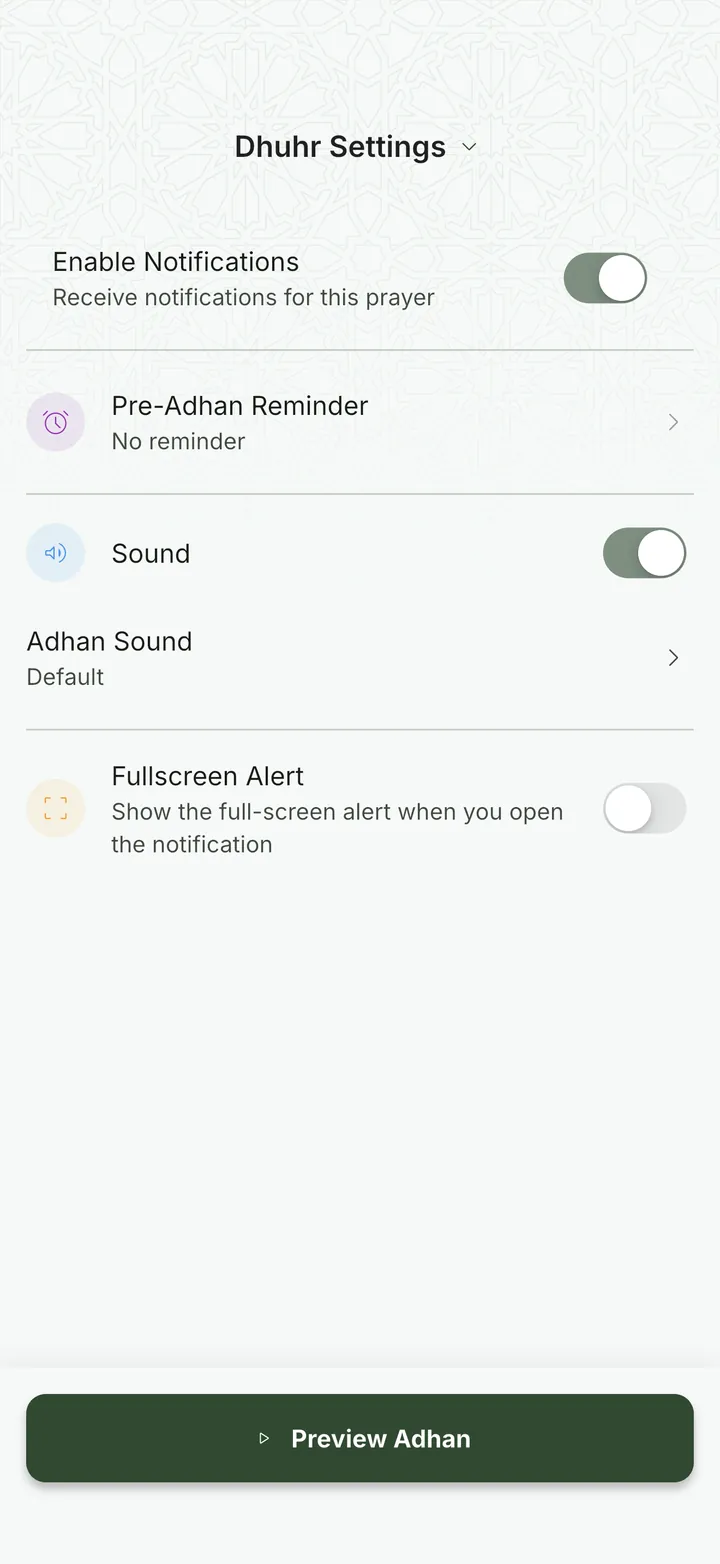
Turn on Sound, then tap Adhan Sound and pick one.

In the appOpen Notifications
On Android, also turn on Override Silent Mode on the Notifications screen — that is what lets the adhan play when the phone is silenced.
On Windows, check that notifications for FirdawsWay are on, with their sound, in Windows Settings › System › Notifications, and that Do not disturb (Focus assist on Windows 10) is off.